


.png)


Overview
This article demonstrates how users can reset their password within the app using Firebase authentication, even without sending a reset password link via email. The solution targets users who are already logged in and wish to change their password for security or other reasons.
%20(1).png)
Prerequisites
- Flutterflow
- Firebase
Flutterflow
FlutterFlow is a low-code development platform built on top of Flutter, Google's open-source UI toolkit for building natively compiled applications for mobile, web, and desktop from a single codebase.
To set up your Flutterflow project, please follow the steps below:
1. Create a Flutterflow project
- Go to the Flutterflow console.
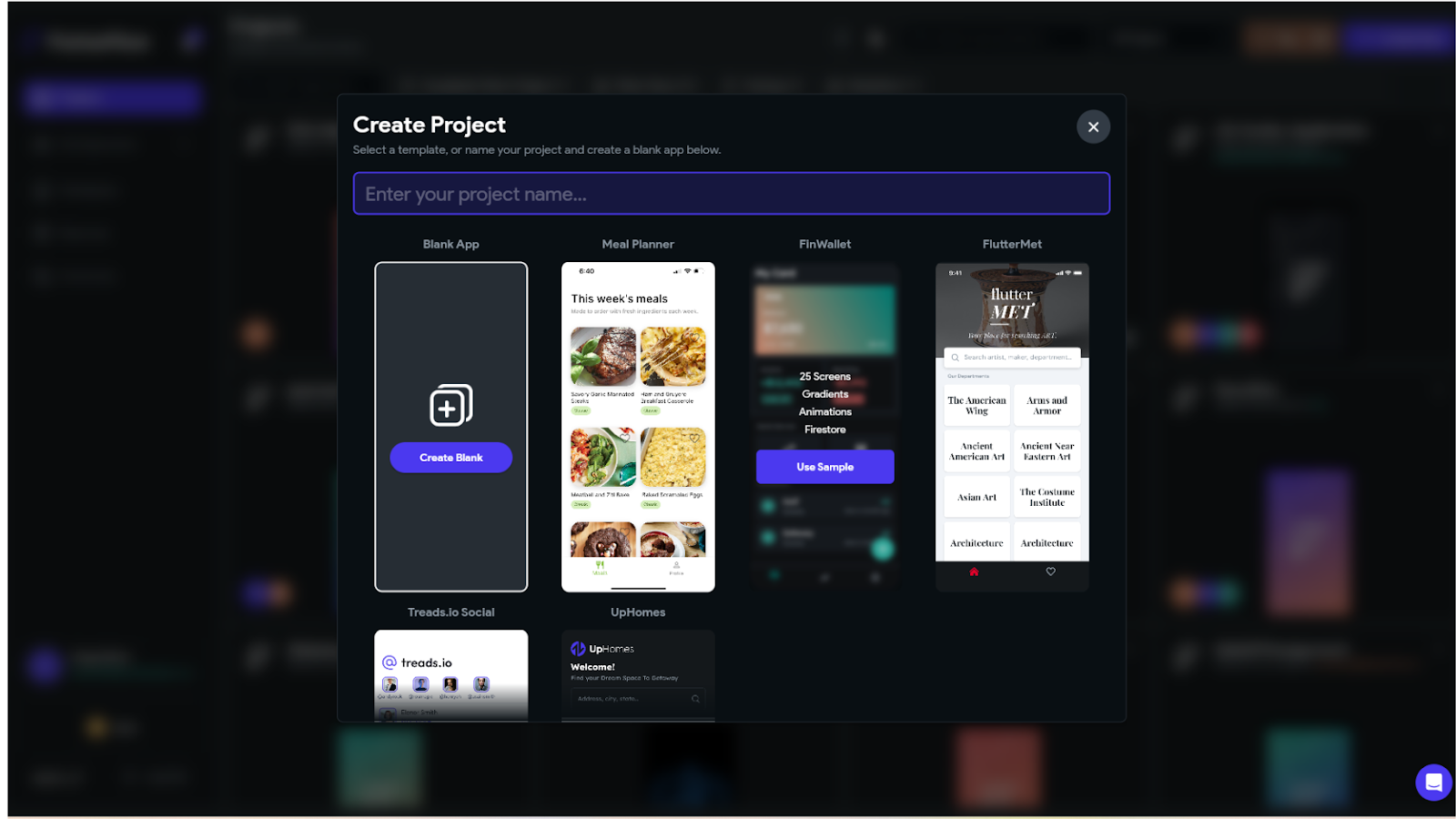
- Click on Create a project and follow the instructions to set up a new project.
Firebase Project Setup
Firebase is a Google platform offering tools to build, improve, and scale apps across mobile, web, and desktop, with services like real-time databases, authentication, and serverless backend solutions.
%20(1).png)
To set up your Firebase project, please follow the steps below:
1. Create a firebase project
- Go to the Firebase Console.
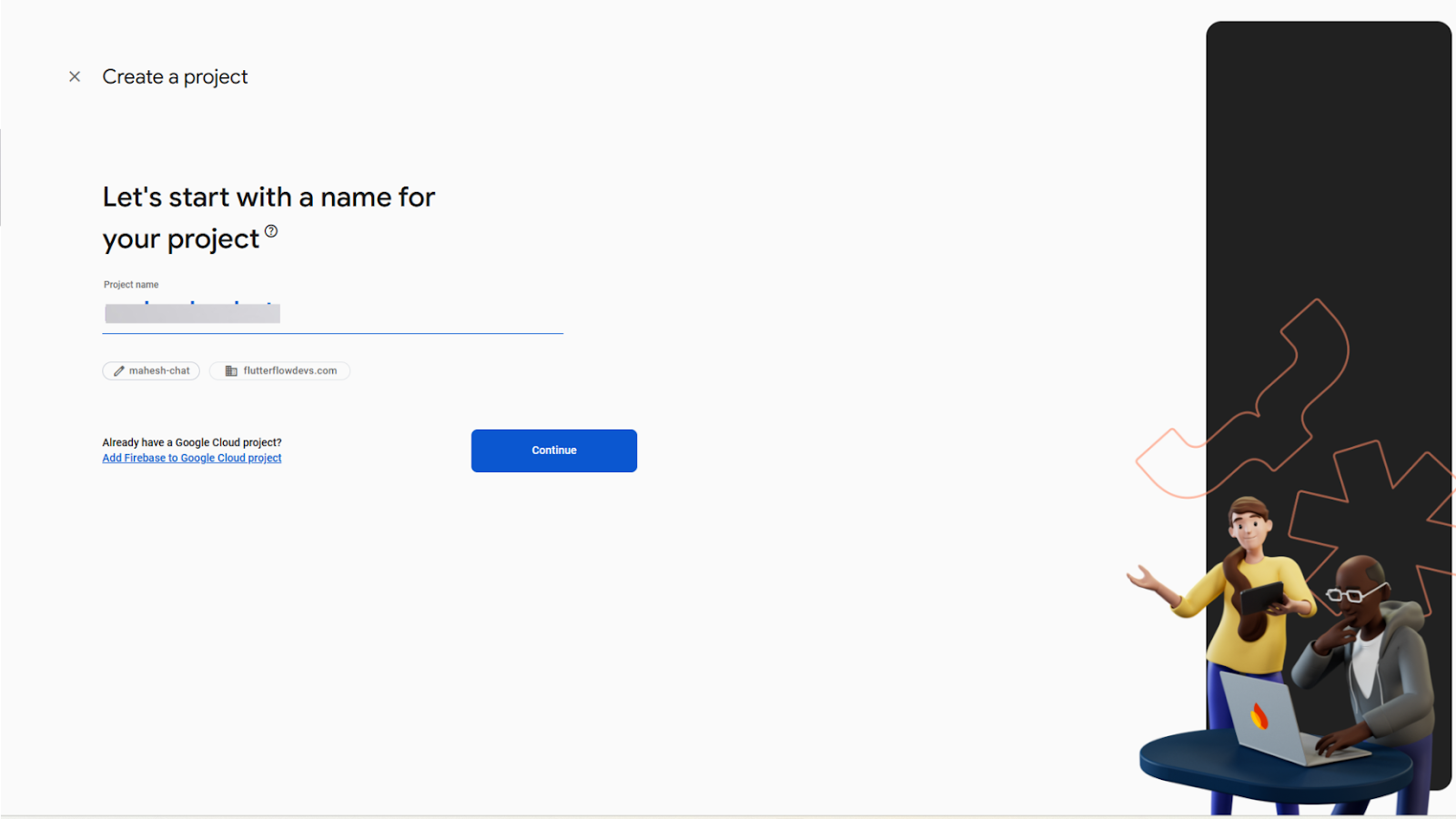
- Click on Create a project and follow the instructions to set up a new project.
2. Enable Firebase Authentication
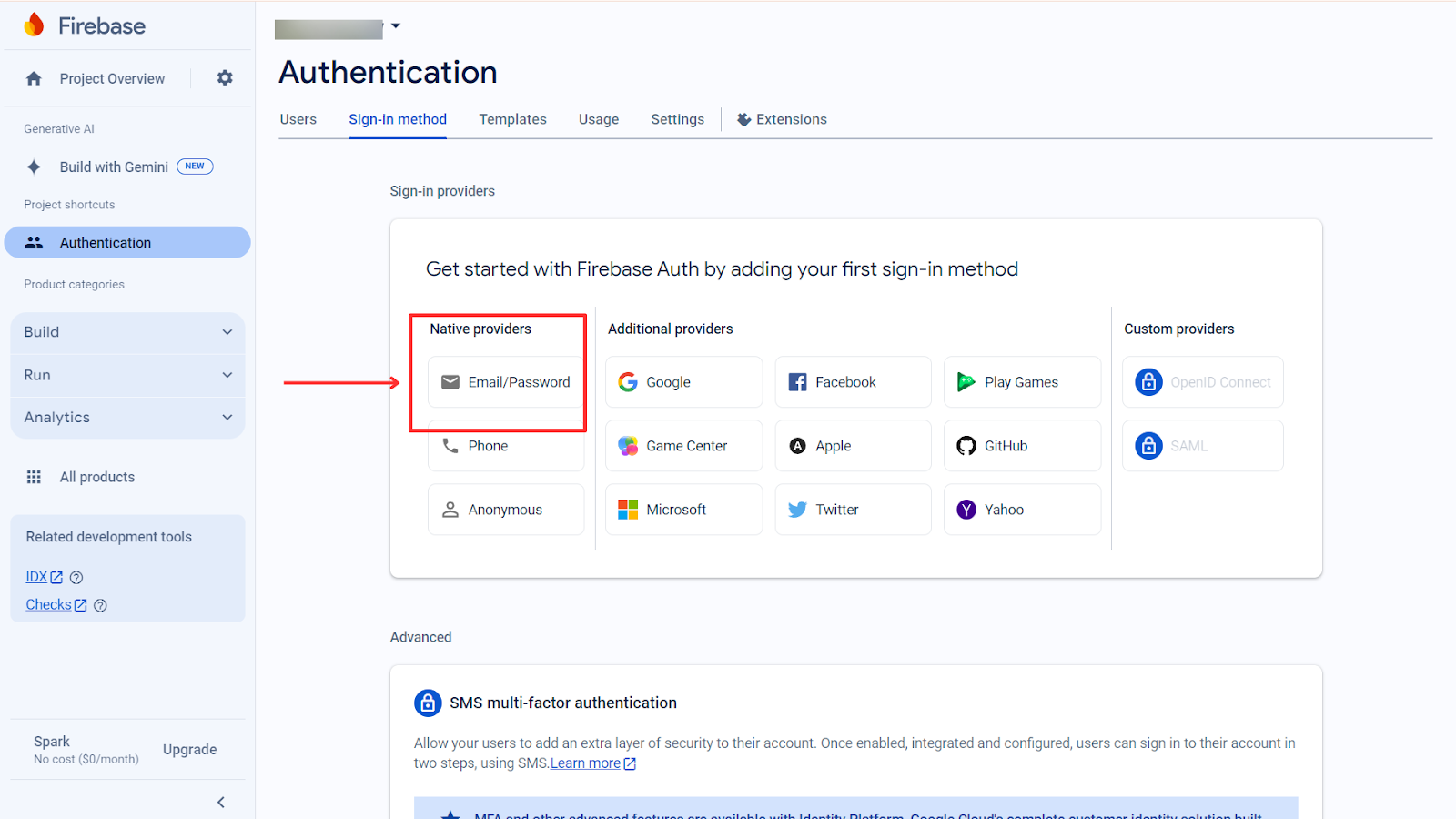
- In the Firebase console, go to the Authentication section.
- Click Get Started and enable the sign-in methods(Email/Password).
-
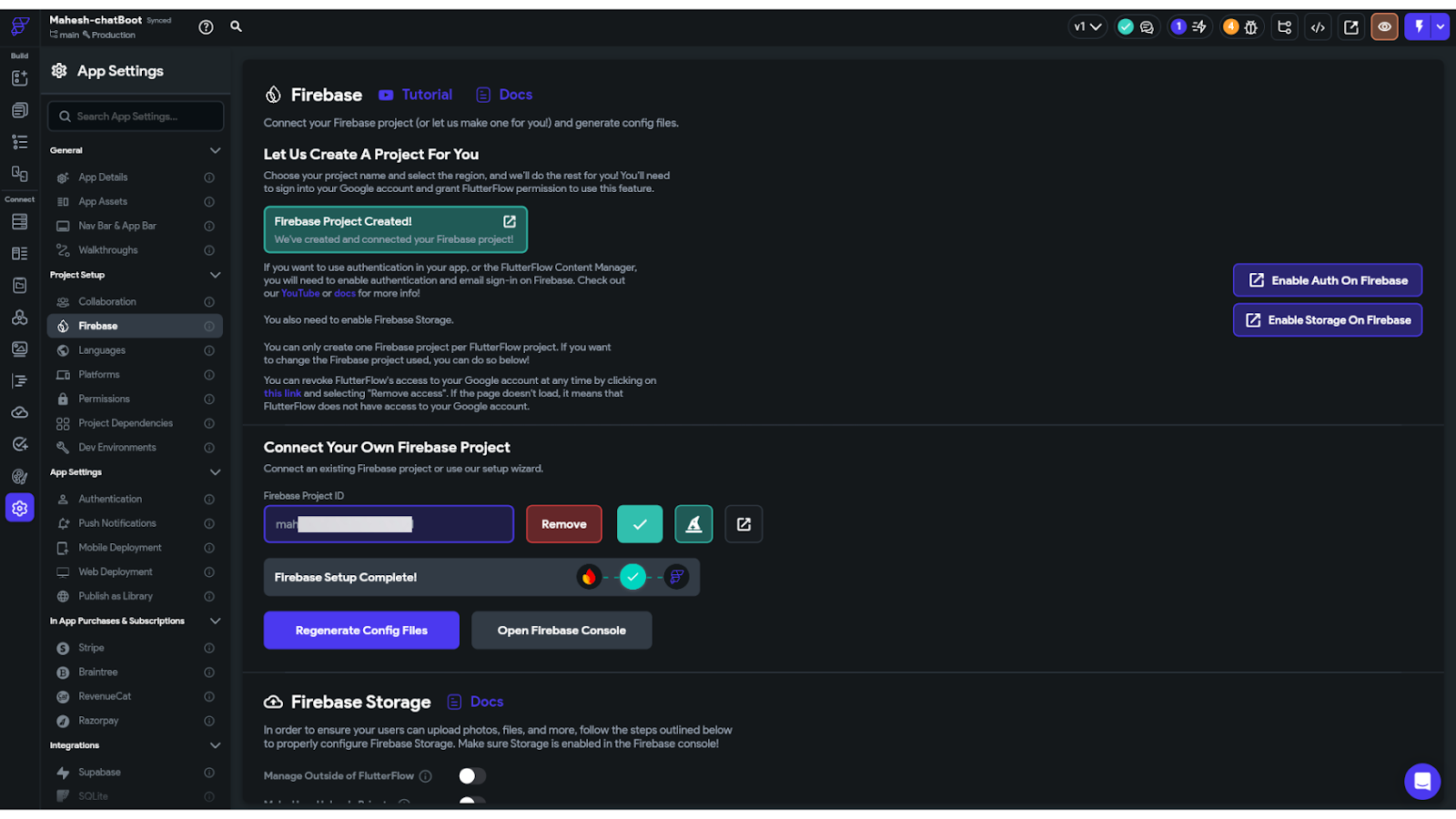
- Now copy the project ID and go in the settings of flutterflow project, Choose firebase project and paste the copied firebase project id in that and connect with firebase.
3. Flutterflow Functionality
- Created a simple Sign in and Sign up page in flutterflow project.
- Upon signing in or signing up, users are directed to the Password Reset page. Currently, this page is accessed directly; you can implement this functionality based on your specific requirements.
- Password Reset page design : -
.png)
- When the user clicks the 'Reset Password' button, it will first verify if the 'New Password' and 'Confirm New Password' fields match.
.png)
- If the verification fails, display an alert message such as 'Passwords do not match.' You can customize the message as needed.
- If the verification success, call the custom action(resetPassword).
- Custom Action : -
// Automatic FlutterFlow imports

import '/backend/backend.dart';

import '/flutter_flow/flutter_flow_theme.dart';

import '/flutter_flow/flutter_flow_util.dart';

import '/custom_code/actions/index.dart'; // Imports other custom actions

import '/flutter_flow/custom_functions.dart'; // Imports custom functions

import 'package:flutter/material.dart';

// Begin custom action code

// DO NOT REMOVE OR MODIFY THE CODE ABOVE!


import 'package:firebase_auth/firebase_auth.dart';


Future<bool> resetPassword(

  BuildContext context,

  String email,

  String oldPassword,

  String newPassword,

) async {

  // Add your function code here!

  final FirebaseAuth auth = FirebaseAuth.instance;

  User? user = auth.currentUser;


  try {

    // Step 1: Reauthenticate the user with their old password

    AuthCredential credential = EmailAuthProvider.credential(

      email: email,

      password: oldPassword,

    );


    await user?.reauthenticateWithCredential(credential);


    // Step 2: Update the password

    await user?.updatePassword(newPassword);


    _showAlert(context, 'Success', 'Password updated successfully');

    return true;

  } on FirebaseAuthException catch (e) {

    print('Error: $e');

    String errorMessage = 'Something went wrong';

    if (e.code == 'wrong-password') {

      errorMessage = 'Invalid old password';

    } else if (e.code == 'requires-recent-login') {

      errorMessage = 'Please log in again before changing your password';

    } else {

      errorMessage = e.message ?? 'Failed to update password';

    }


    _showAlert(context, 'Error', errorMessage);

    return false;

  }

}


void _showAlert(BuildContext context, String title, String message) {

  showDialog(

    context: context,

    builder: (BuildContext context) {

      return AlertDialog(

        title: Text(title),

        content: Text(message),

        actions: <Widget>[

          TextButton(

            child: Text('OK'),

            onPressed: () {

              Navigator.of(context).pop(); // Close the dialog

            },

          ),

        ],

      );

    },

  );

}
Conclusion
By leveraging Firebase Authentication in FlutterFlow, you can enable users to securely reset their passwords directly within the app without relying on email reset links. By verifying user identity before updating credentials, this approach enhances security and prevents unauthorized changes.
With a well-designed UI flow and robust error handling, this solution simplifies password management while delivering a seamless user experience and a secure authentication system tailored to your app's needs.
.jpg)

View more blogs




.png)

.png)
.png)
.png)

Ready to develop your own product? Get in touch today!
Get in Touch