





1. Introduction
Every few months, a business owner calls us with the same story. Their website was built years ago, it still technically works, but every update takes longer than it should, the design feels dated next to competitors, and their developer either left or stopped answering emails. That's usually the moment someone decides to migrate legacy website to React JS instead of patching the old one again. At Arixlabs (previously FlutterFlowDevs), we've handled enough of these migrations to know the pattern well, and the good news is that a legacy site rarely needs a full website redesign with React JS from scratch to get a modern foundation. Most businesses that convert old website to React JS keep their content, their data, and often their rankings, while gaining a site that's actually pleasant to maintain. This guide walks through why that migration matters, how to plan it, and what to expect at each stage of a migrate legacy website to React JS project, including the parts of a convert old website to React JS timeline that most guides skip over.
2. Why should a business migrate an old website to React JS?
Old websites built on outdated PHP templates, jQuery-heavy pages, or long-abandoned CMS platforms are the most common candidates to upgrade PHP website to React JS, since they tend to accumulate technical debt that slows everything down. Every new feature takes longer to build because the codebase wasn't designed for it. This is the core reason so many teams eventually upgrade PHP website to React JS setups, since PHP-based templates in particular tend to mix logic and markup in ways that get harder to maintain with every passing year. A legacy application modernization React project fixes this by rebuilding the interface around reusable components instead of tangled page templates, which is exactly what a good website redesign with React JS should deliver from day one. PHP-heavy sites in particular are frequent candidates here, since businesses that upgrade PHP website to React JS setups usually see the biggest jump in day-to-day development speed. Beyond maintainability, there's speed. Old sites often load slowly because they weren't built with modern performance practices in mind, and slow sites lose visitors and rankings. A website redesign with React JS addresses both problems at once, giving a business a faster site and a codebase that new developers can actually understand within a day, not a month. This is also where React JS website revamp services tend to pay for themselves quickly, since faster onboarding for new developers means fewer billable hours spent just understanding what the old code was trying to do. React JS website revamp services also open the door to features that were previously painful to add, real-time notifications, dynamic dashboards, and smooth transitions between pages, all of which are difficult to bolt onto older architectures without extensive rework. Businesses running an older PHP stack often underestimate how much this alone justifies the decision to upgrade PHP website to React JS, since every future feature request stops being a fight against the old codebase, one of the quieter wins of any legacy application modernization React initiative.
3. How do you plan a migration from a legacy site to React JS?
Planning starts with an audit, not a rebuild. Before anyone writes code, the existing site gets mapped page by page, feature by feature, so nothing important gets lost in translation. Here's what a solid migration plan usually covers:
- A full content inventory, pages, blog posts, media files, and forms
- A list of every integration the old site depends on, payment gateways, CRMs, email tools
- Current SEO rankings and top-performing URLs, documented before anything changes
- A decision on how much of the current design gets kept versus refreshed
Teams that skip this step and jump straight into a website redesign with React JS often lose track of small but important details, an old contact form integration, a hidden landing page still driving traffic. A legacy application modernization React project can quietly break in exactly these blind spots if the discovery phase gets rushed rather than treated as its own deliverable. Once the audit is done, and once the business has decided whether to upgrade PHP website to React JS on the frontend alone or across the full stack, migration usually happens in phases rather than a single cutover, particularly for larger sites. A phased approach to convert old website to React JS reduces risk and gives the team room to catch issues early rather than after the entire site has gone live, and it gives stakeholders a chance to see real progress before the full migrate legacy website to React JS project is finished.
3.1 Can a WordPress site be migrated to React JS?
Yes, and it's one of the more common starting points for a website redesign with React JS. WordPress sites typically keep their content management on the backend through a headless setup, while React JS powers the frontend, giving the business a familiar admin experience alongside a much faster, more flexible interface. This headless pattern is also common for teams that upgrade PHP website to React JS from a custom CMS rather than WordPress specifically, and it's a standard offering across most React JS website revamp services providers.

4. What content and data need to be preserved during migration?
Content preservation covers more than just the text on a page, and it applies just as much to a convert old website to React JS project as it does to a full legacy application modernization React rebuild. Every migrate legacy website to React JS project needs to carry over existing pages, blog content, images, metadata, and any structured data markup that search engines rely on, the same checklist that applies whether the goal is a full convert old website to React JS rebuild or a lighter refresh. Losing metadata during a migration is one of the most common and most avoidable mistakes, since it directly affects how a page appears in search results. User data is the other half of the equation. Account information, order histories, and saved preferences all need a clean path from the old database into whatever backend now powers the React JS website revamp services layer. This is where a business decides whether to upgrade PHP website to React JS on the frontend only, keeping the existing backend and database intact, or to modernize both sides at once as part of a broader migrate legacy website to React JS initiative. Keeping the backend unchanged is usually the faster, lower-risk option for a first migration, since it isolates the risk to the frontend rather than touching the data layer at the same time. This is exactly what most businesses choosing to upgrade PHP website to React JS opt for on their first pass, saving a full backend rebuild for a later phase once the frontend has proven itself in production.
4.1 How is the database connected to a new React JS frontend?
The database usually stays where it is, connected through an API layer that the React JS frontend calls to fetch and update data. This approach lets a team convert old website to React JS without disrupting existing data pipelines, backups, or reporting tools that already depend on the current database structure, which is often the deciding factor in choosing to upgrade PHP website to React JS on the frontend first.
4.2 What happens to old plugins and custom features during migration?
Each plugin or custom feature gets evaluated individually during a legacy application modernization React project. Some translate directly into a reusable React component, others get replaced with a more modern equivalent, and a few genuinely aren't needed anymore once a website redesign with React JS is complete.
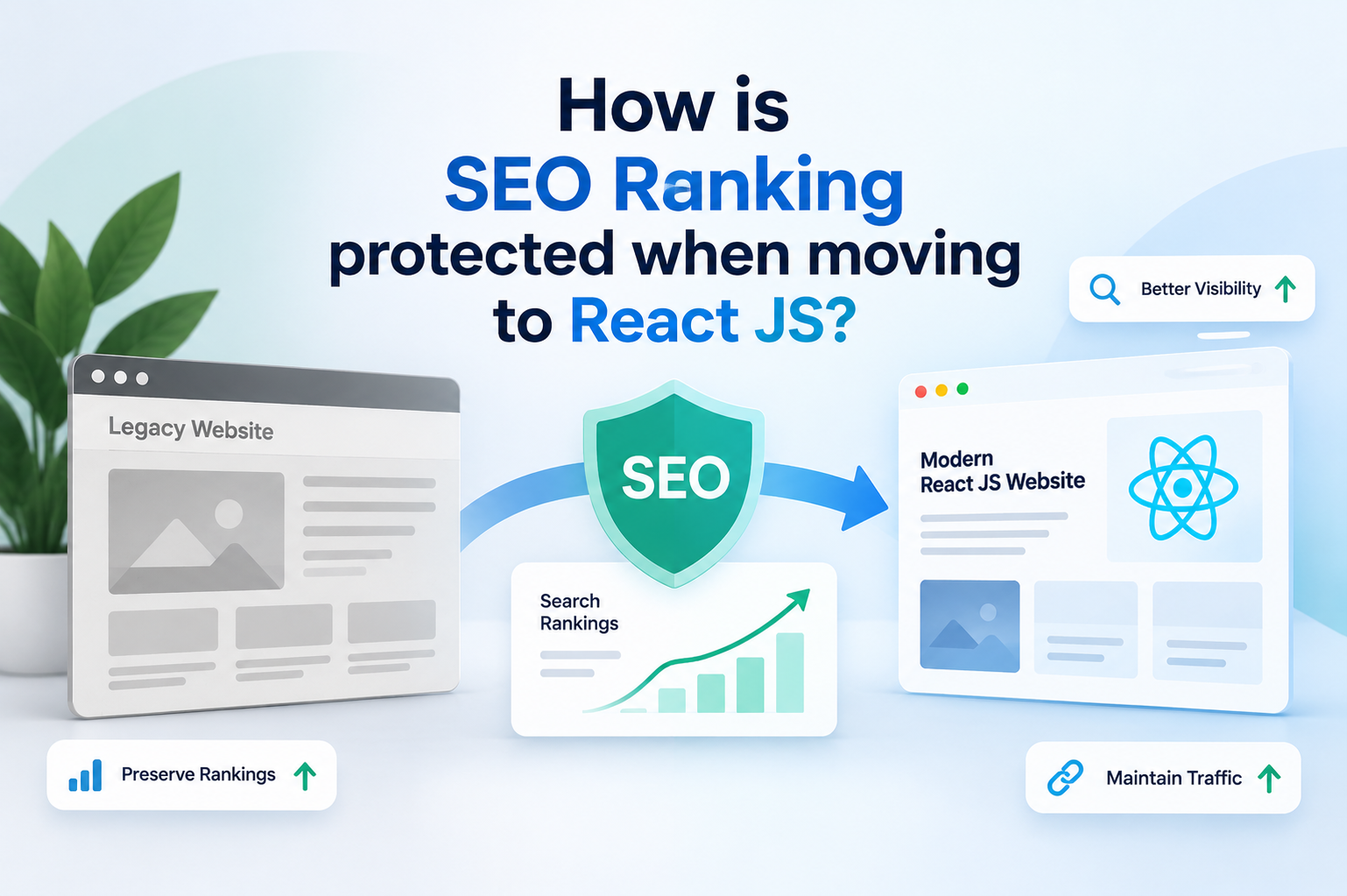
5. How is SEO ranking protected when moving to React JS?
SEO protection during any legacy application modernization React project, and really any website redesign with React JS in general, comes down to a few non-negotiables: preserving URL structure wherever possible, setting up proper redirects for anything that does change, and making sure the new site is server-rendered or pre-rendered so search engines can actually read the content. React apps that render everything client-side historically struggled here, which is why any serious website redesign with React JS project for a content-heavy site should use a framework like Next.js that handles server-side rendering out of the box. This detail matters just as much whether the project is a full convert old website to React JS rebuild or a narrower React JS website revamp services engagement focused only on a few key pages of a larger legacy application modernization React roadmap. Metadata, title tags, meta descriptions, and structured data all need to migrate over exactly as they were, or better, not stripped out during the rebuild. Businesses that convert old website to React JS without a clear SEO checklist sometimes see a temporary dip in rankings, simply from technical oversights that had nothing to do with the framework itself and everything to do with a rushed launch, the same risk that shows up in any migrate legacy website to React JS project that skips proper QA.
5.1 How are existing URLs redirected during a React JS migration?
Proper 301 redirects get mapped from every old URL to its new equivalent before launch, not after. This is one of the most important technical steps in any migrate legacy website to React JS project, since missing redirects are the fastest way to lose both rankings and existing backlinks overnight, a risk that applies equally to a full convert old website to React JS rebuild.
6. What is the timeline for migrating a website to React JS?
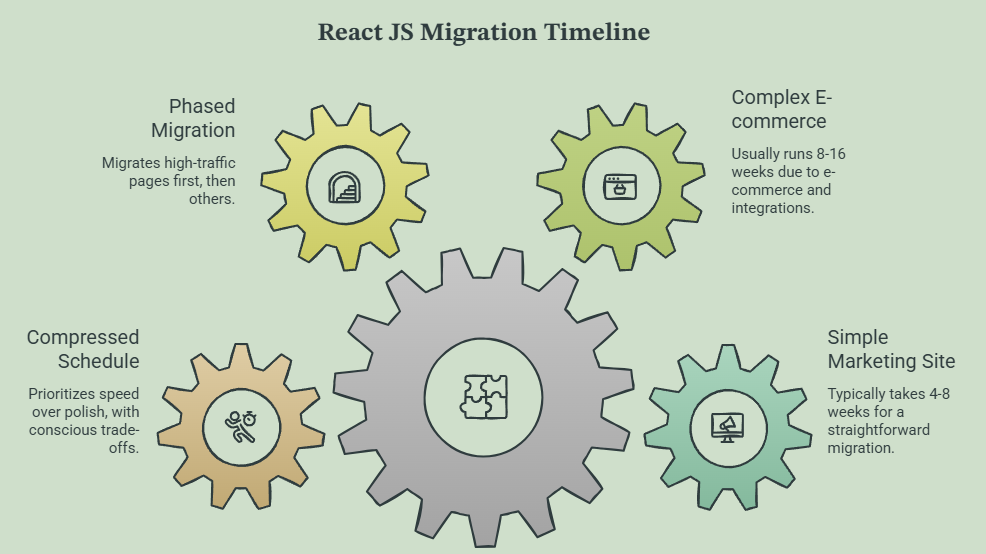
A straightforward marketing site migrate legacy website to React JS project typically takes four to eight weeks. A more complex migration, one involving e-commerce functionality, user accounts, or heavy third-party integrations, usually runs eight to sixteen weeks. This is typically where a full decision to upgrade PHP website to React JS across both frontend and backend gets made, and where a broader website redesign with React JS often gets bundled in alongside the technical rebuild, since the added complexity justifies tackling both layers together. The timeline for React JS website revamp services depends heavily on how much of the original functionality needs to be replicated exactly versus how much can be simplified or improved along the way, which is also true for any website redesign with React JS built around a tight deadline. Businesses that want to upgrade PHP website to React JS quickly sometimes choose to migrate the highest-traffic pages first and roll out the rest in phases, which shortens the time to see initial results even though the full migration takes longer overall. Rushing a legacy application modernization React timeline to hit an arbitrary date is usually where testing gets skipped, and that's exactly where migration problems tend to show up after launch rather than before it. Businesses that upgrade PHP website to React JS on a compressed schedule should expect to trade some polish for speed, and that trade-off should be a conscious decision made with the React JS website revamp services team, not an accident.
7. How do you test a React JS site before going live after migration?
Testing after a migrate legacy website to React JS project should cover functional parity first, every form, every button, every integration needs to work exactly as it did before, or better. From there, testing expands to performance, checking that page load times actually improved rather than accidentally getting worse from an unoptimized rebuild. A website redesign with React JS should always include a staging environment where the new site runs in parallel with the old one, so stakeholders can compare directly before the switch happens, a step that applies equally to a full legacy application modernization React rebuild or a smaller convert old website to React JS project limited to a handful of pages. Here's a shortlist of what typically gets checked before launch:
- Every form submission and payment flow from the migrate legacy website to React JS build, tested end to end
- All internal and external links, checked for broken paths
- Core Web Vitals and page speed, benchmarked against the old site
- Mobile responsiveness across the most common device sizes
Skipping any of these steps on a React JS website revamp services project, or on any convert old website to React JS effort regardless of size, is how small bugs turn into support tickets on launch day.
8. What browser and device testing is needed after migration?
Testing should cover the major browsers, Chrome, Safari, Firefox, and Edge, along with both iOS and Android devices at common screen sizes. A React JS website revamp services team should also test on older device models, since legacy sites often carried an audience that hasn't upgraded hardware as quickly as the design assumes, a detail worth flagging on any legacy application modernization React project aimed at a broad, non-technical user base.
9. FAQs
Will migrating to React JS affect my Google rankings?
Not if it's done correctly. Rankings are protected by preserving URLs, setting up proper redirects, and keeping metadata intact, all standard parts of a well-planned migrate legacy website to React JS project and any React JS website revamp services engagement worth hiring for.
Can I migrate only part of my website to React JS first?
Yes. Many businesses convert old website to React JS in phases, starting with high-traffic pages or a specific section, then expanding once the initial results confirm the legacy application modernization React approach is working.
How much downtime is involved in a React JS migration?
Ideally, none. A properly planned website redesign with React JS runs on a staging environment until testing is complete, then switches over with a DNS or deployment change that takes minutes, not hours, a standard part of React JS website revamp services delivery.
Is a full redesign required when moving to React JS?
No. A legacy application modernization React project can keep the existing visual design intact and simply rebuild the underlying code, or it can combine a migrate legacy website to React JS effort with a visual refresh, depending on what the business actually needs. Either way, a thoughtful React JS website revamp services partner will ask this question early rather than assuming a full redesign is required.
%20(1).jpg)

View more blogs

.png)
.png)
.png)


_a_expand_this_image_in.jpg)
.png)

.png)

Ready to develop your own product? Get in touch today!
Get in Touch