Companio - AI Companion
A ready-to-launch AI companion app where users create, chat with, and grow relationships with personalized AI characters — memory, personas, and subscriptions built in.







Screen Breakdown
- User App — Authentication (Splash, Welcome, Login, Social Login, Sign Up, Forgot Password) → Home & Companion Gallery → Companion Creation → Chat & Memory → Relationship Timeline → Profile & Settings → Subscription & Billing
- Admin Dashboard — Admin Login → Dashboard & Metrics → User Management → Companion Template Management → Notification → Plan & Pricing Management → Legal & Policy Management
Built For
- Founders launching an AI companion or virtual friend app
- Entrepreneurs building character-based chat platforms
- Agencies delivering AI chatbot MVPs for clients
- Startups entering the AI persona/companion market

Key Features
Splash & Onboarding Screen
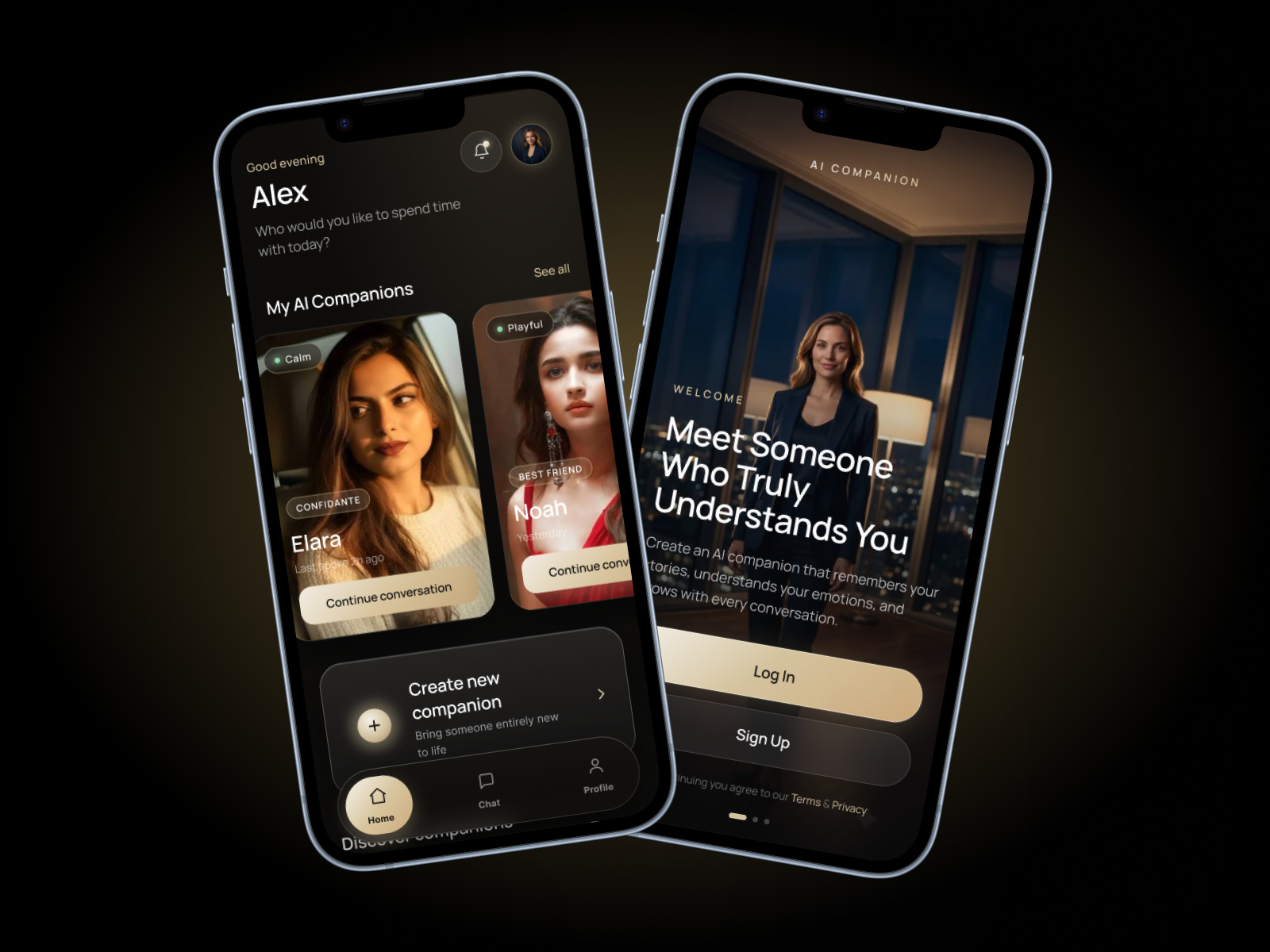
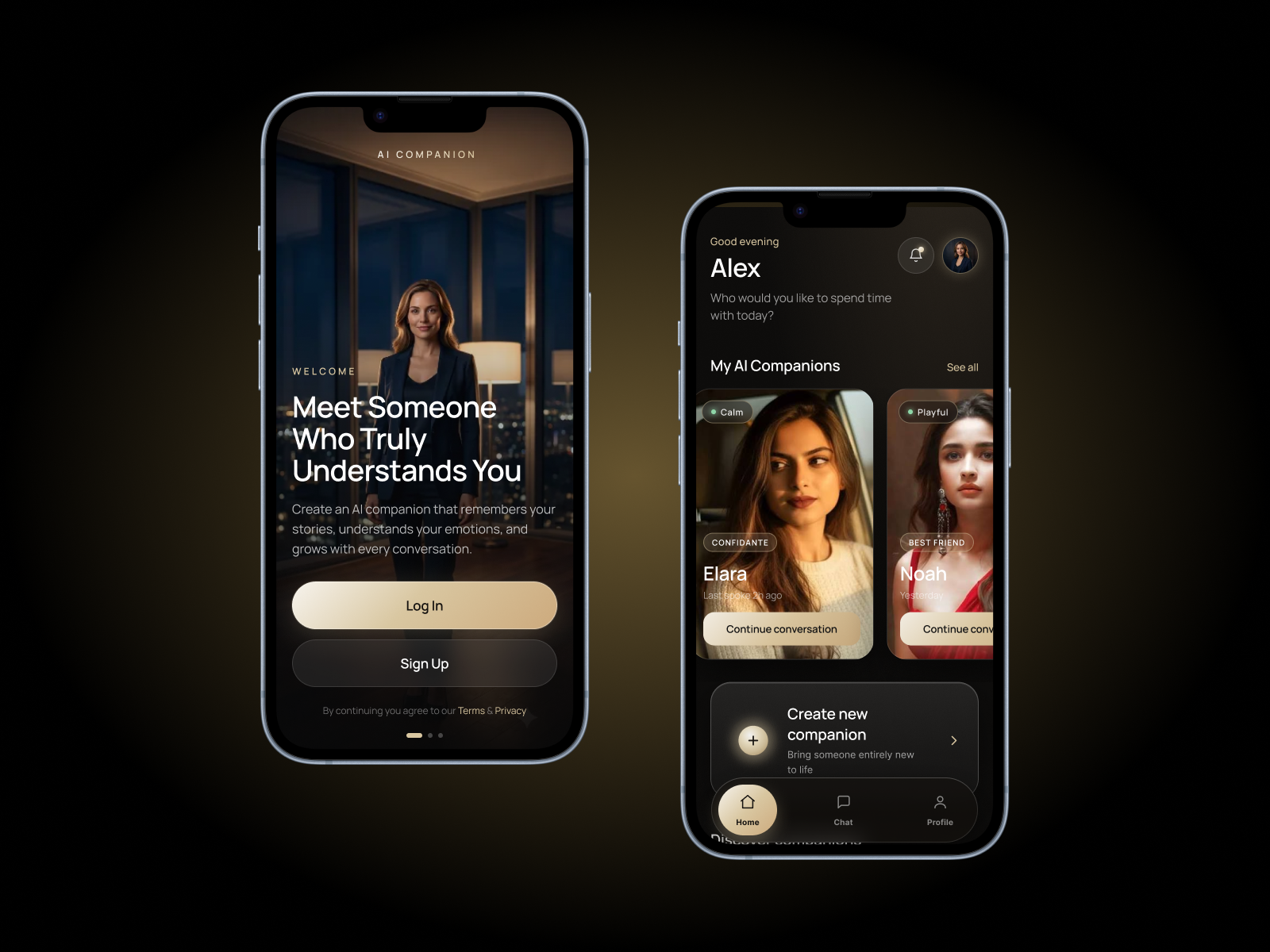
First impressions decide whether a user sticks around or bounces, and this screen is built to earn that first few seconds of trust. It introduces the app's personality before any login wall gets in the way, easing new users into the concept of an AI companion rather than dropping them straight into a form. The visual pacing is designed to feel premium and intentional, not like a generic template. For an app built around emotional connection, this is where that tone gets set for the very first time. It's a small screen with an outsized job: making people want to keep going.
Companion Gallery View
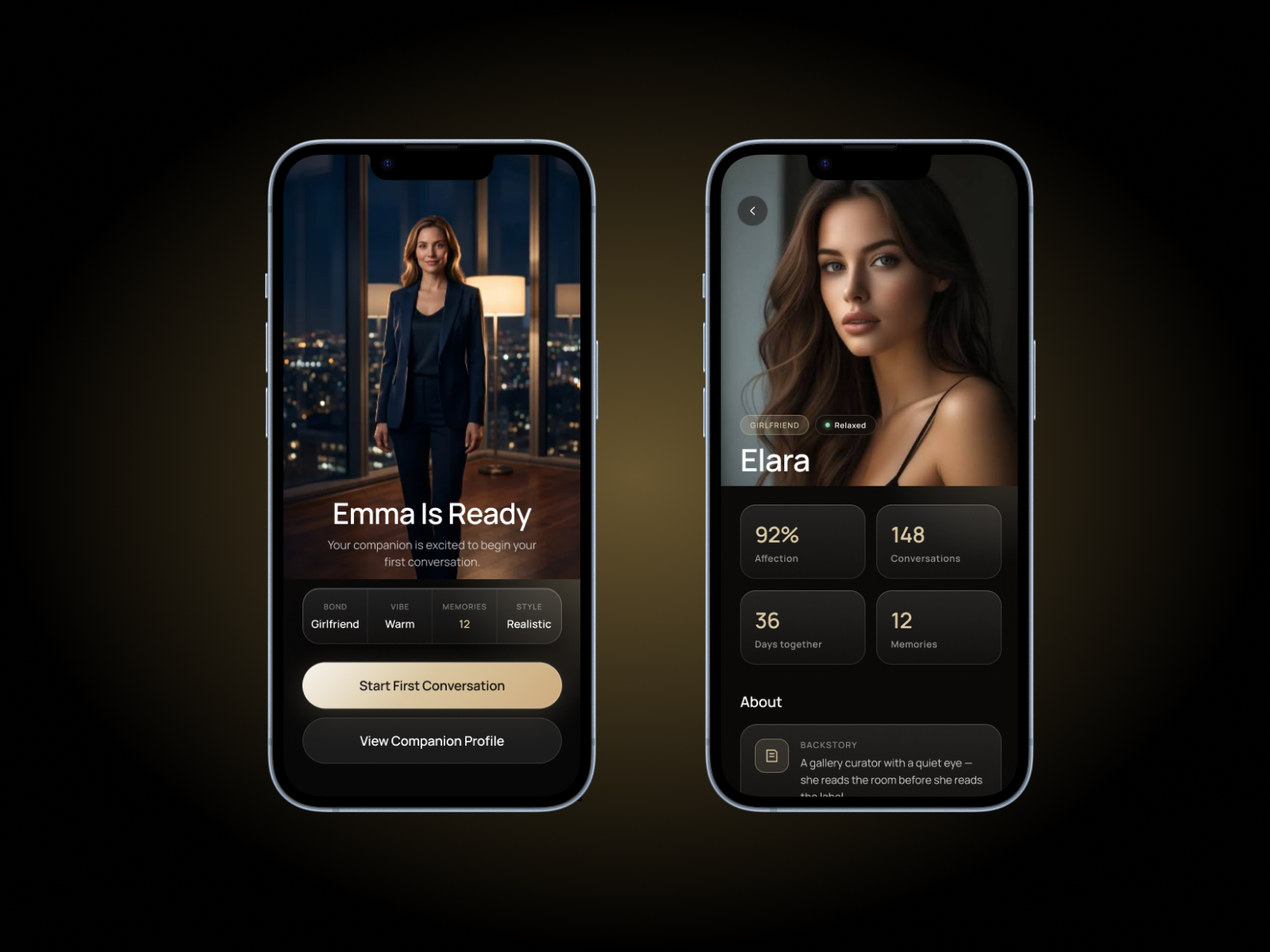
Once a user has more than one companion, they need a fast way to see who's who — and that's exactly what this screen delivers. Each companion shows up with their avatar, name, and current relationship status, so users can pick up a conversation without hunting for it. It works like a visual home base for the entire companion experience, reinforcing the sense that these are ongoing relationships, not one-off chats. As users add more companions over time, this view naturally becomes the emotional anchor of the app. It's simple, but it's doing a lot of retention work in the background.
One-on-One Chat with Independent History
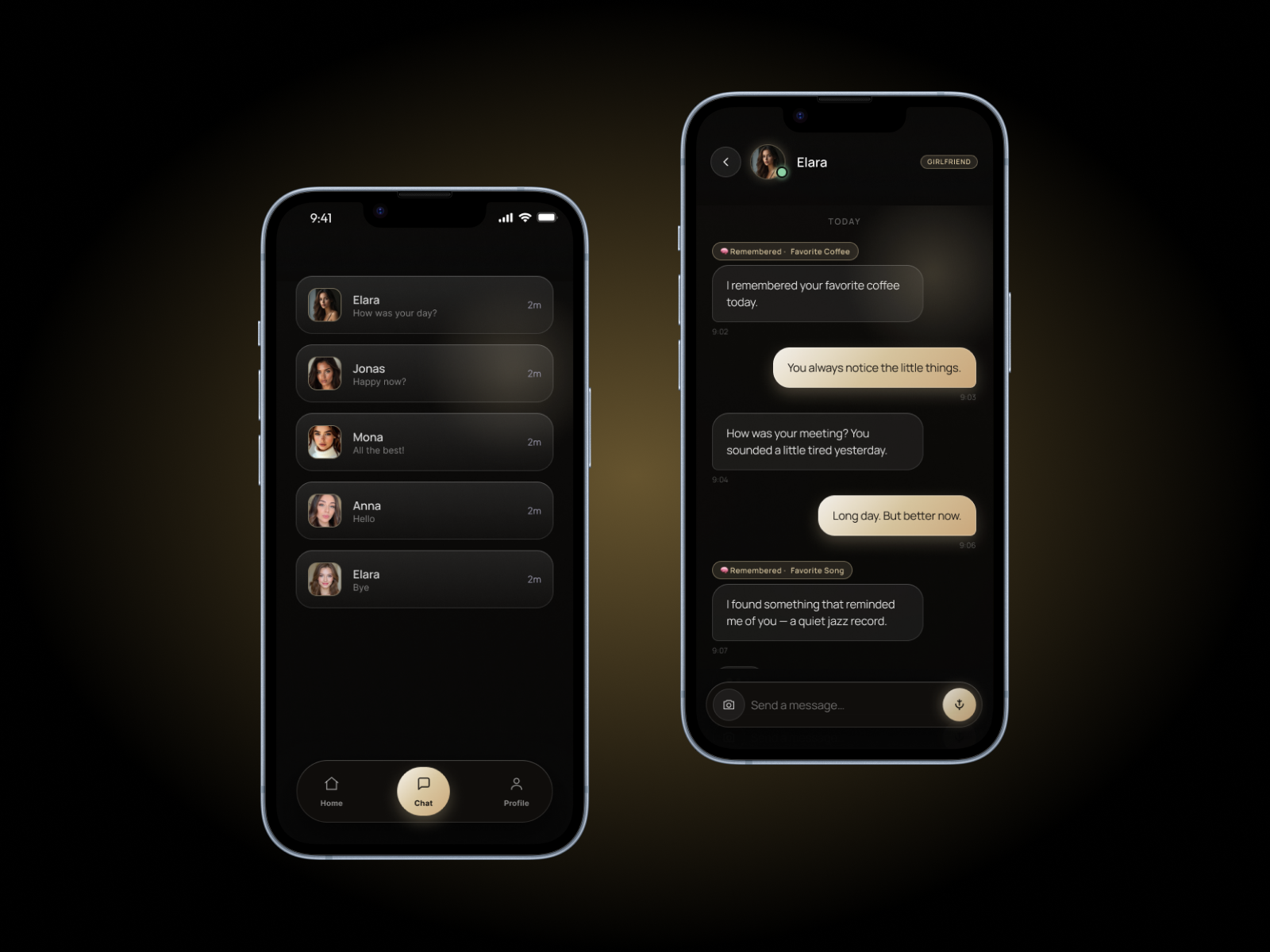
Every companion gets its own separate conversation thread, so history with one character never bleeds into another. This matters more than it sounds — users are effectively managing multiple relationships at once, and each one needs to feel distinct and continuous. Independent history means a companion "remembers" the shared context of that specific relationship, which is what makes the interaction feel personal rather than generic. It also protects the integrity of the experience as users create more companions over time. Without this separation, the whole premise of individual relationships would fall apart.
Unlimited Messaging
Standard users can message without hitting an artificial wall, which removes one of the most common sources of frustration in chat-based apps. Nothing kills the feeling of a relationship faster than a "message limit reached" popup in the middle of a conversation. By keeping core messaging open, the app builds trust and habit before ever asking for money — monetization comes from premium perks, not from throttling the basic experience. That distinction matters for both user satisfaction and app store reviews. It's a small technical decision with a big impact on how the app feels to use.
Create Companion Flow
This is the single most important moment in the entire app, because it's where a user turns an idea into a character they'll actually care about. The flow walks them through uploading a photo, generating an AI avatar, and writing a backstory and details that give the companion depth from day one. Because the creation process feels thoughtful rather than transactional, users invest emotionally before the first message is even sent. That upfront investment is what makes people come back — they're not just using a chatbot, they're checking in on someone they built. Get this flow right, and everything downstream — chat, memory, retention — gets easier.
Subscription Plans (Free, Premium Monthly, Premium Annual)
The three-tier structure gives users a clear, low-friction path from trying the app to paying for it. Free users get enough to experience real value, while Premium Monthly and Annual options let paying users commit at whatever pace suits them. This tiering is what turns a fun app into a recurring revenue business — it's the monetization backbone the rest of the experience is built around. Because the plans are pre-structured, there's no need to design pricing logic from scratch; it's ready to configure with your own price points. For any founder, this is the difference between an app that people enjoy and one that actually makes money.
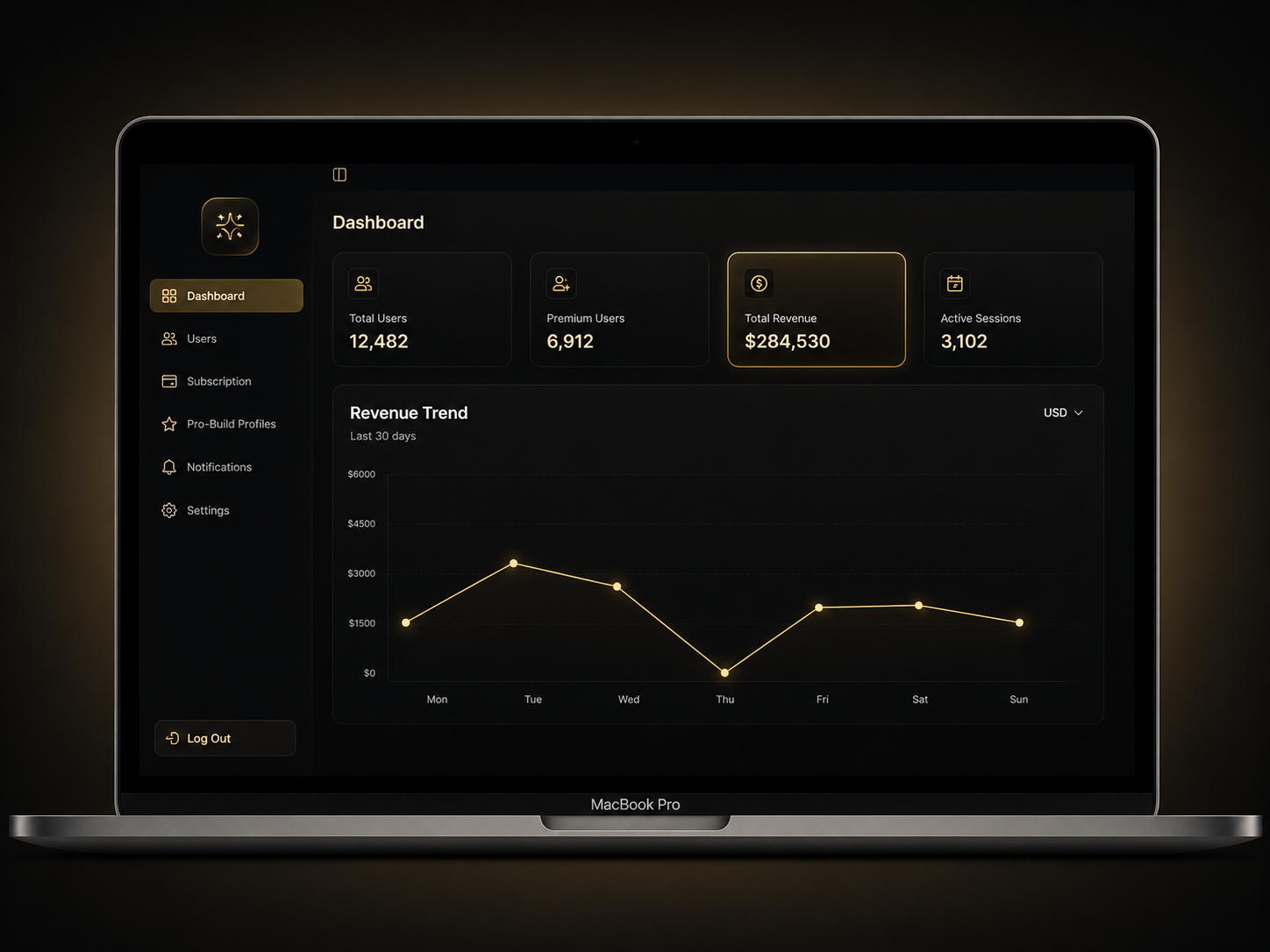
Dashboard: Users, Premium Users, Revenue
This is the first screen an admin sees, and it's built to answer the three questions that matter most at a glance: how many users are on the platform, how many have converted to premium, and how much revenue is coming in. Instead of digging through separate reports, whoever's running the business gets a live snapshot of platform health the moment they log in. It's especially useful for tracking whether the free-to-premium funnel is actually working, since user count and premium count sit right next to each other for easy comparison. Over time, this dashboard becomes the go-to reference for spotting growth trends or catching a dip before it becomes a real problem. For any founder or operator, this is the screen that turns raw app activity into a business you can actually manage.
Subscription Settings Management
Rather than hardcoding how subscriptions behave, this gives whoever runs the platform a central place to control that logic — no code changes, no developer needed for routine adjustments. It's built for the reality that pricing, trial periods, or plan behavior often need to shift after launch based on real user data. Centralizing this control means faster iteration and fewer engineering bottlenecks down the line. For a subscription-based app, this is the kind of infrastructure that pays for itself the first time you need to make a change. It keeps the business side of the app flexible without touching a single line of code.

Customization & Support
Need it tailored to your niche or region? ArixLabs offers full custom development — new features, branding, alternate AI models, and white-labeling. 30 days of email support included; response within 24 hours on business days.
Explore more apps
.png)
%20(1).jpg)
.jpg)
.jpg)
.jpg)
.jpg)

.jpg)
Can’t find the right app?
We can build your app—custom solution or clone of your favorite app.
Get in Touch